Deferring a Medication Review
This topic is intended for Independent pharmacies only and is not applicable to Rexall pharmacies.
If a patient is eligible for a medication review, you have the option to defer it. A deferred medication review is placed on the Medication Review Workbench > Pending tab > To Do Status sub-tab for you to complete later. The length of time that a deferred medication review stays on the Medication Review Workbench depends on the Defer Eligibility Prompting (Days) setting in Pharmacy Preferences.
While the medication review is deferred:
-
A temporary patient note is added to notify you that a medication review has been deferred. This note will be visible as an alert in Rx Detail when processing a prescription for the patient. By default, this note is flagged to Print so it'll appear in the Patient Care section of the Half label or Notes tab of Clinical Review. Once the medication review has been completed or removed from the Workbench, the note is removed.

-
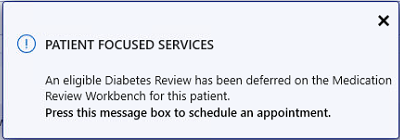
A prompt appears in Rx Detail when processing a prescription for the patient to notify you that a medication review has been deferred.
-
The eligibility prompt does not appear for the patient for the duration that the medication review is deferred. If the medication review is removed manually or automatically from the Workbench, the eligibility prompt appears again for the patient.
To defer a medication review from the eligibility prompt:
-
Open the Patient Folder.
-
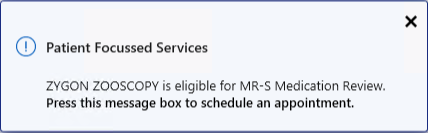
Select the Patient Focused Services prompt at the bottom.
The example below is a Patient Focused Services prompt for a BC medication review.
-
Select Defer.